 Screen Online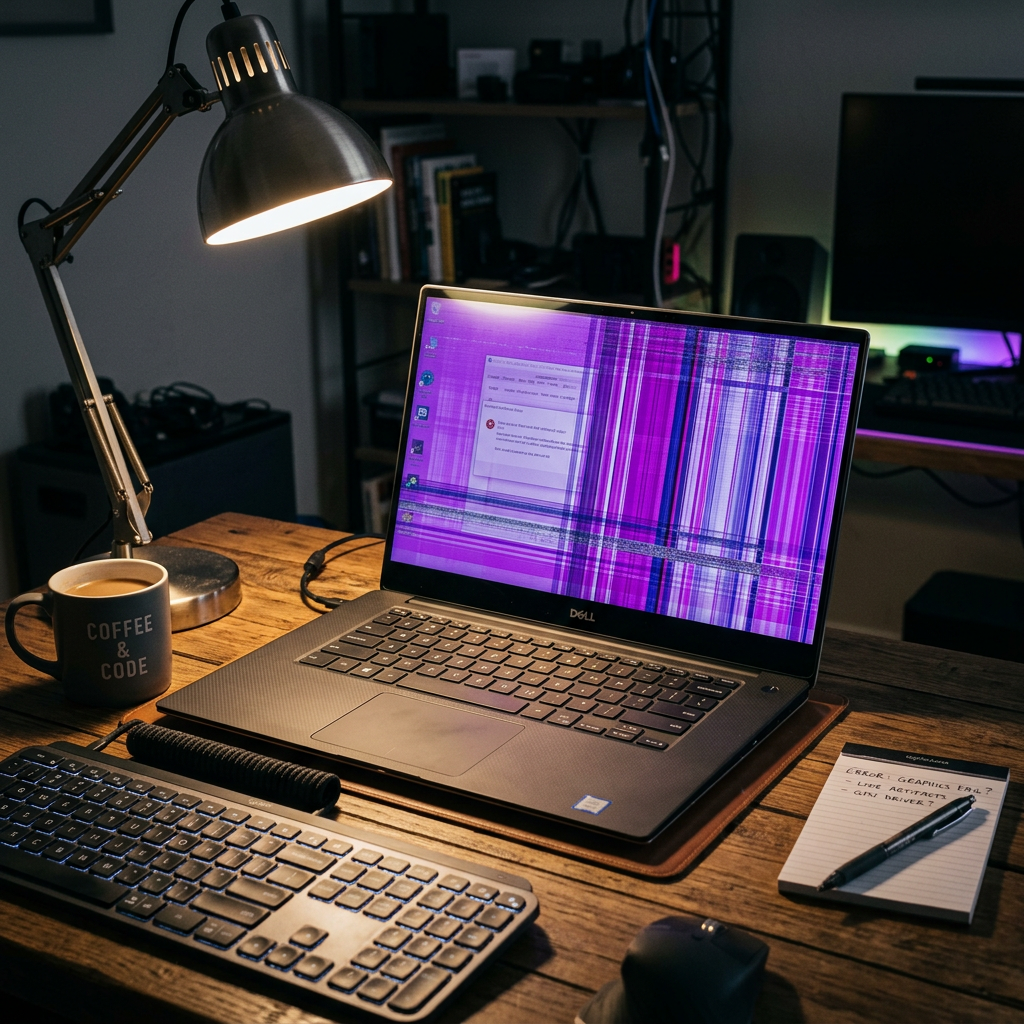
Finding your once-perfect laptop, monitor, or phone suddenly bathed in a purple glow can be alarming. Whether it’s a subtle violet tint, flickering purple lines, or strange purple "stains" spreading across the panel, a purple screen—often called the "Purple Screen of Death"—is a clear sign that something is wrong.
But what exactly causes it? Is it a simple software glitch, or are you looking at an expensive hardware repair? In this guide, we’ll break down the most common reasons your screen is turning purple and how you can troubleshoot the issue across all your devices.
1. The Science of the "Purple Tint"
In the world of display technology (RGB), every color is created by mixing Red, Green, and Blue.
- The Math: Red + Blue = Purple (Magenta).
- The Problem: If your screen turns purple, it usually means the Green signal has been lost. Whether it's a bent pin in a cable, a dead "green gun" in an old CRT, or a failing driver circuit in a modern LCD, the absence of green leaves you with nothing but purple.
2. Desktop Monitors: Cables and Magnetism
If you are using an external desktop monitor, the fix is often simpler than you think.
- Check the Cable Pins: If you are using a VGA or DVC cable, check for bent or broken pins. A single damaged pin can cut off the green signal entirely.
- The "Wiggle" Test: Securely tighten the screws on the cable and gently wiggle the cord at both the monitor and PC ends. If the color flickers back to normal, the cable is faulty and needs replacement.
- Magnetism (CRT & Old Tech): If you are using an older CRT monitor and see purple patches, it might be magnetized by nearby unshielded speakers or other electronics.
- The Fix: Use the "Degauss" button in the monitor's menu. It might take several tries to clear the stray magnetic fields.
- The Raster Test: Turn up the brightness and contrast with no signal cable attached. If the faint scanning pattern (raster) is still purple, the monitor's internal hardware is failing. If it's grey/white, the problem is your cable or PC.
3. Laptops: The Vulnerable Ribbon Cable
The most common cause of a purple screen on a laptop is a faulty ribbon cable (flex cable). This cable runs through the laptop hinge and connects the motherboard to the display panel.
Because the hinge is opened and closed thousands of times, the cable can become pinched, loose, or frayed.
The Fix: A technician will need to open the laptop to reseat or replace the cable. This is usually a mid-range repair (50−50 - 50−120).
4. Smartphones: LCD "Bleeding" and Software
When a phone screen turns purple, it’s often a race against time before the device becomes unusable.
- LCD Bleeding: This happens after a drop or high pressure. The liquid crystals leak, creating a purple stain that usually grows until it covers the entire screen. Seeking a repair shop immediately is vital.
- Safe Mode Test: Hold Power + Volume Down during startup to enter Safe Mode. If the purple disappears, a third-party app is causing a software malfunction.
- Overclocking: If you have modified your phone's hardware voltage, it can cause extreme heat that glitches the display driver. Reset these settings to default.
5. Software & Driver Troubleshooting
Before you spend money on hardware, rule out these free fixes:
- Update GPU Drivers: Outdated or corrupted graphics drivers (NVIDIA, AMD, Intel) can cause weird color artifacts.
- Reset Color Profiles: In Windows, search for "Calibrate display color" and reset everything to "Default."
- Check "Night Light" or Filters: Ensure you haven't accidentally enabled a blue-light filter or a weird color theme.
Repair Cost Expectations (USD)
| Component | Laptop / Monitor | Phone |
|---|---|---|
| Video Cable | 10−10 - 10−30 | N/A |
| Ribbon Cable | 50−50 - 50−120 | N/A |
| Screen Replacement | 100−100 - 100−350 | 70−70 - 70−250 |
| Motherboard/GPU | 250−250 - 250−700+ | 150−150 - 150−400 |
Pro Tip: If the repair costs more than half the value of the device, replacement is often the smarter financial move.
Use WhiteScreen.show for Testing
To accurately diagnose the issue, use our White Screen and Green Screen tools.
- A White Screen will help you see the exact boundaries of purple stains or bleeding.
- A Green Screen test will confirm if your display can actually render green at all. If the screen stays black or dark purple during a green test, the hardware path for green is definitely broken.